01Three things to confirm before you start
The wallet exists and its seed phrase is backed up offline; you know which chain you are using; and the address was just copied out of the wallet rather than dug out of a chat log. Missing any of the three means wait.
- Is the backup done? Moving assets into an unbacked wallet just relocates the risk from a platform onto a phone that can be dropped. The standard is in setting up your first wallet.
- Do you have an account? If there is no exchange account to withdraw from yet, that step comes first — see the sign-up guide.
- Is the address freshly copied? Not from your history, and not from a screenshot someone sent you.
One more question worth settling: where is it going
"Into my own wallet" hides a choice. If this is the bulk you intend to hold, it belongs in a wallet that never connects to anything. If it is for doing things on-chain, it belongs in your everyday wallet. Those two should not be the same wallet.
Decide before withdrawing, because moving from one wallet to the other afterwards costs another network fee and adds another chance to paste the wrong address. Sort it out once.
If you have not yet separated those two, set that up first — section one of setting up your first wallet covers it.
02Picking the chain: the hardest step to fix
The network field on the withdrawal page must match the network your wallet is on. The same coin on different chains is a different asset, and sending over a chain the recipient does not support can leave it unreachable.
How to be sure:
- Open the wallet and see which network is currently selected.
- On the wallet's receive screen, it usually states which chain that address belongs to.
- Back on the withdrawal page, choose the same one. Match the name exactly rather than picking whichever looks closest.
The same stablecoin is issued on many chains and the ticker looks identical. Send over chain A to somewhere that only supports chain B and the asset lands somewhere you may not be able to reach. Full explanation and recovery odds in what a chain is, and what happens when you pick the wrong one.
03Copying the address safely
Use the wallet's copy button, then after pasting, check the first characters, the last characters, and a section in the middle. Clipboard-hijacking malware is real, and your eyes are the last line.
- Use the copy control in the wallet. Do not type it and do not read it off a screenshot.
- Check the middle as well as the ends. Hijackers substitute addresses chosen to look similar at both ends, which is exactly what a quick glance checks.
- Scanning a code needs the same check. The decoded address appears in the field; read it.
- Run it through the address format validator if you want a sanity check on the format. But remember: a valid format is not a correct recipient.
04Send a small amount first
However large the total, the first transfer to any new address should be an amount you would not care about losing. Wait for it to actually appear in the wallet, then send the rest.
Errors this catches: wrong chain, mis-copied address, an address in an incompatible format, a wallet that is not actually watching that chain. Surfaced at small size, they cost you a fee. Surfaced at full size, they cost you the money.
People skip this, especially on expensive chains. We would still not skip it: the fee on that test transfer is the only insurance available against an irreversible operation.
How small is small
Two constraints: the platform minimum sets the floor, and what you could shrug off losing sets the ceiling. Pick an amount between them:
- Not below the platform's minimum withdrawal. Too small may not send at all.
- Small enough that you genuinely would not mind. The test is not a percentage — it is "if this simply vanished, would I feel the need to do something about it?" If yes, go smaller, but not below the minimum above. If the minimum itself is more than you could shrug off, accept that the test carries real money and double-check the address and network before sending.
Note that the test itself costs a withdrawal fee, so the price of this insurance is one fee plus the test amount. On an expensive chain that gives people pause, but run the test on the same chain, the same network option on the platform and the same address you will use for the full amount. A test on a different chain proves nothing about the path you are actually going to use, and a wrong network is one of the errors the test exists to catch. If the fee on that chain is too high to justify, the honest choice is to decide whether to use a cheaper chain for the whole transfer, not just for the test.
Once the small amount lands, try sending a little of it back out. Being able to receive does not mean being able to send: outbound needs native tokens for gas, and this is exactly the moment you find out if you kept none. Reasons in gas fees.
05Where withdrawal fees are listed
In the exchange's fee schedule, usually under a deposit-and-withdrawal category, broken down by coin and by chain. The figures get adjusted, so go by what the page shows you when you act.
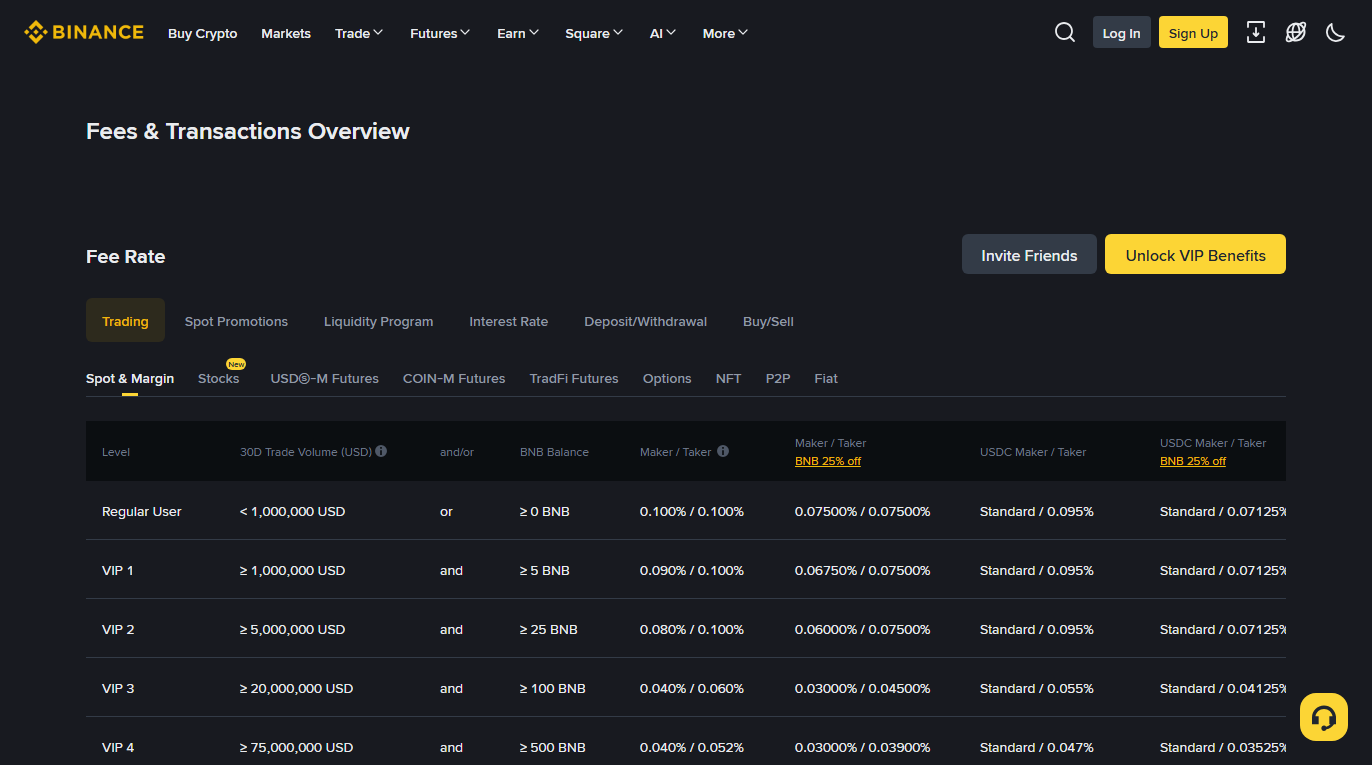
Two things to notice while you are there:
- Withdrawal fees are set per coin and per chain, not as a percentage.
- There is also a minimum withdrawal. Below it, the transfer will not go, or the fee eats an absurd share of it.
06Confirmations and arrival times
After a transaction is included in a block, further blocks have to stack on top of it before it is considered settled. That count is the confirmation requirement, and it varies by chain and by platform — which is why arrival times vary so much.
Block cadence differs to begin with: Bitcoin produces a block roughly every ten minutes, Ethereum mainnet runs roughly twelve-second slots, Tron produces one roughly every three seconds. Twenty confirmations mean completely different waits on each.
After a withdrawal, the exchange normally gives you a transaction hash. Paste it into that chain's block explorer and you can see whether it was included, how many confirmations it has, and whether the destination matches what you entered. Nothing showing in the wallet does not mean nothing was sent — check the hash before worrying.
Why some platforms wait longer
Confirmations exist to resist the small but real possibility of a block being reorganised. More confirmations means safer and slower, and each platform picks its own point on that trade-off, which is why the same chain arrives at different speeds on different venues.
Two other things can extend the wait, unrelated to the chain:
- Platform-side review. New accounts, new devices, new addresses and larger amounts can all trigger automated or manual checks, during which nothing has been broadcast yet.
- Batched payouts. Some platforms group withdrawals and release them together.
So when there is no transaction hash to look up, check the status in the platform's withdrawal history first. "Processing" and "sent" call for completely different responses: chasing the platform makes sense for the first and not the second.
07Nothing arrived: diagnose in this order
Confirm the on-chain status first, then confirm your wallet is looking at the right chain, and only then contact the platform. A wallet set to the wrong network or a token that has not been added are possible explanations for a "missing" transfer, and both are quick to check.
- Look up the transaction hash. If the explorer says success, the chain side is finished. If it shows the transaction as pending, it is waiting for confirmations: wait, and compare the confirmation count with what the platform requires before contacting anyone. If it shows failed or reverted, the transfer did not complete; check the platform's withdrawal record for whether the funds were returned to your account, and contact the platform's official support with the hash if they were not.
- Check the wallet's selected network. If it is wrong, the funds are there and the interface is looking elsewhere.
- Check whether the token needs adding. Some tokens do not appear automatically; add by contract address taken from the project site or an explorer.
- Verify the receiving address shown on the explorer against the one you entered.
- If the chain shows no such transaction, check the platform's withdrawal record — it may still be in review. Now contacting support is worthwhile.
If it turns out you chose the wrong chain, do not go looking for someone to "help recover" it — that is exactly the situation recovery scams are built around. Possible remedies are in the wrong-chain article, and the scam shapes are in how wallets actually get drained.
Why this section is worth learning properly
If the platform shows a withdrawal as sent but nothing appears in your wallet, it is easy to panic, and panic is itself the risk. If you start looking for outside help at that point, one way it can go wrong: nothing in the wallet → assume the funds are lost → search for help → post publicly → receive a direct message → "let me take a look for you" → connect a wallet or share a phrase → and that is where the actual loss begins.
Meanwhile the first link in that chain — nothing in the wallet — may be nothing more than a wrong network or an unadded token. The whole thing could have been settled in thirty seconds.
Which is why the order above is worth remembering. It is not only a technical procedure; it cuts the road that runs from anxiety to being robbed. The two lines to keep: check the hash before the wallet settings, and if the chain says success, the assets are already at that address.