01Why this is worth doing at all
Because approvals are sign-once, live-indefinitely. The permission you granted two years ago for a single swap can still be used to move your tokens today, and the only requirement is that the contract turns out to have a problem.
Losses of this kind have a disorienting shape: your seed phrase never leaked, the device is clean, you may not have touched the wallet in months — and part of the balance is gone. The cause is usually an ancient approval being exercised.
How approvals arise and what unlimited allowance means are in signatures and approvals. This piece is only about dealing with the ones already out there.
02Where to look
Two routes: a dedicated approval management site, where entering an address lists what it has authorised; or the token approval page on that chain's block explorer. The first is easier to read, and neither requires connecting a wallet just to look.
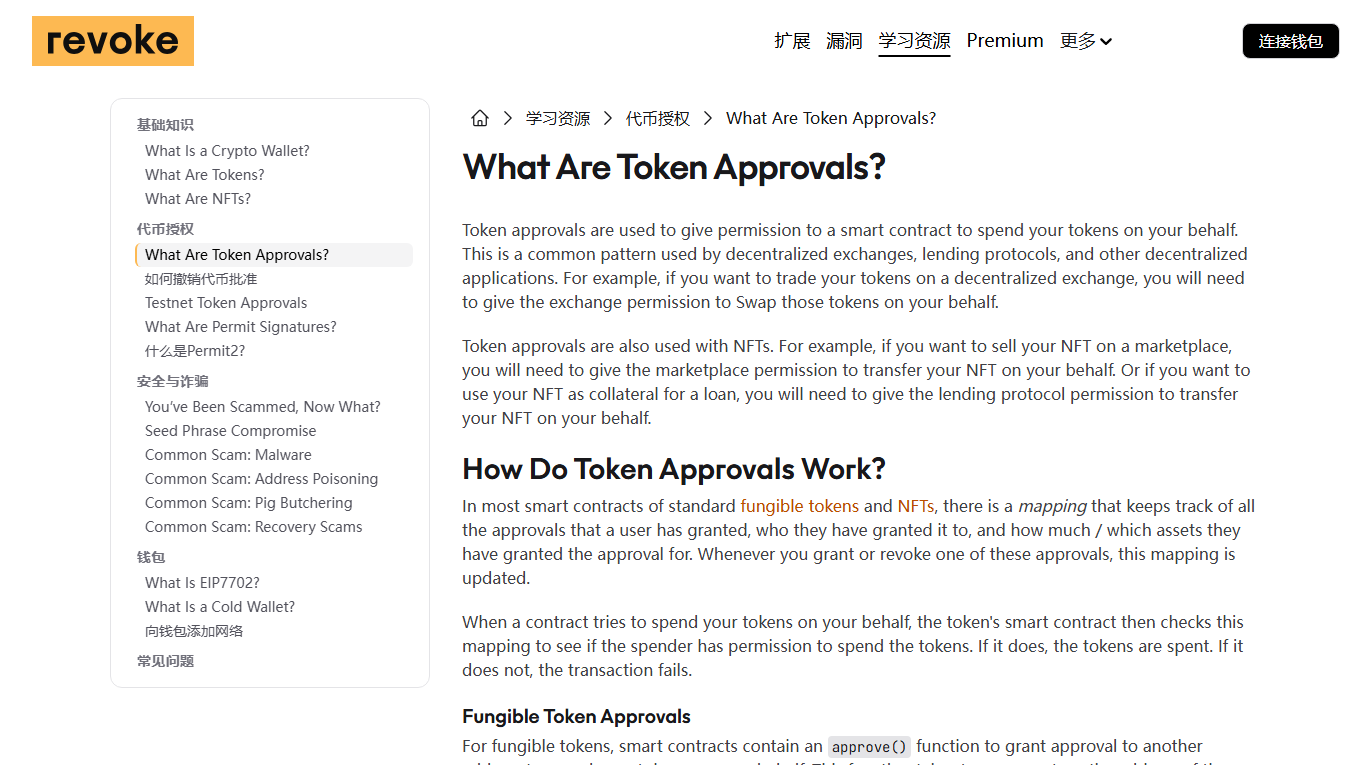
Points worth observing:
- Do not connect a wallet just to look. Paste the address and query it; you see the same information. Connecting is only needed to actually execute a revocation.
- Check the domain. Tools like this get cloned heavily, because their visitors are by definition people who hold assets and are currently thinking about security.
- Check each chain separately. Approvals are recorded per chain. Clearing one leaves the others untouched.
03Reading the list
Each row is roughly: which token, which contract holds the permission, how large the allowance, and when it was last used. Deal first with anything combining an unlimited allowance and a contract you do not recognise.
| What you see | Risk | Do |
|---|---|---|
| Unlimited allowance, unknown contract | Highest | Revoke now |
| Unlimited allowance, an app you have not used in ages | High | Revoke; re-approve if ever needed |
| An approval on a token you hold a lot of | High | Revoke, or cap the allowance |
| Capped allowance, small figure | Low | Leave it |
| A mature app you use frequently | Medium | Keep, but add to the review list |
One category is easy to miss: entries you never deliberately approved. Those usually trace back to a signature you believed was only a verification. Revoke on sight, and consider moving the assets at that address elsewhere.
NFT approvals are not the same as token approvals
Two shapes appear in these lists, and people commonly handle only the first:
- Token approvals are granted by quantity, which is why they have an allowance you can reduce.
- NFT approvals are typically granted per collection, with no amount to adjust — only on or off. Once on, every item you hold in that collection can be moved, including ones you acquire afterwards.
The risk profile of the second is closer to "unlimited", and because there is no alarming number on screen, people are less alert to it. If you have ever touched an NFT marketplace or campaign, review that category too; most approval managers separate them into tabs.
04The act of revoking
Revoking sets the allowance to zero. It is an on-chain transaction, so it needs your signature and a network fee. It does not touch the assets you hold; it withdraws a permission.
- Select the entry in the tool and choose revoke.
- Your wallet raises a confirmation. Check that it shows an allowance of zero, or the word revoke.
- Pay the fee and wait for inclusion.
- Refresh the list and confirm the entry is gone or zeroed.
On cost, plainly: dozens of entries on an expensive chain adds up. You can work down the priority order above and handle only the high-risk ones, or batch them when the network is quiet. Why fees move is in gas fees.
When revoking fails or hangs
It gets stuck like any other transaction, with two wrinkles specific to this situation:
- You need native tokens to pay for it. If the address holds only the approved tokens and no native token, you cannot even revoke. Send a little native token in first.
- If you suspect assets are actively being taken, do not fixate on revoking. Revocation has to queue and confirm, and so does the attacker's withdrawal. Moving the remaining assets to a fresh address is the better use of your one chance to act first — the two are parallel transactions, and saving the funds is worth more than closing the door.
A stuck revocation can be replaced the usual way, by re-sending at a higher fee with the same sequence number.
If one address's approvals are messy enough that you do not want to work through them, create a new wallet, move the assets across and abandon the old address. That is cleaner than revoking one by one, at the cost of a few transfer fees. Provided the new wallet's seed phrase is properly backed up — do not solve one problem by creating another.
05How often to do this
There is no correct interval. A workable rhythm is: clean up after each round of on-chain activity, and glance at it every few months otherwise. The frequency matters less than it actually happening.
Rather than setting a schedule you will not keep, attach it to something you already do:
- After finishing with a new application, revoke that approval straight away.
- Before moving a significant amount into the wallet, review the list.
- When you hear an application has been exploited, check whether you ever granted it anything.
What a review session actually looks like
The word "review" makes this sound larger than it is. Done properly it takes about ten minutes, and the steps are the same every time:
- List the chains you have used with this address. Not the ones you use now — the ones you have ever used. Approvals sit where you left them, including on chains you moved away from a year ago.
- Query the address on each of them, without connecting a wallet. Paste it in and read. If a tool insists on a wallet connection before it will show you anything, use a different tool.
- Sort by allowance, largest first. Unlimited entries rise to the top, which is exactly the order you want to work in.
- Take the first pass on recognition alone. Anything you cannot place at all goes on the revoke list immediately; you do not owe an unknown contract the benefit of the doubt.
- Take the second pass on usage. Applications you recognise but have not touched in months also go on the list — re-approving later costs one fee, and leaving it costs an open permission.
- Revoke, highest risk first. If fees make clearing everything unattractive, stop partway. A partial clean-up is worth considerably more than a postponed complete one.
- Note where you stopped. Which chains you covered and which you did not, so next time starts from a known point rather than from scratch.
Two things worth knowing before your first pass. The list will probably be longer than you expect — people who have used a handful of applications routinely find dozens of entries, because a single session with an application can generate several. And you will not recognise a fair number of them, which is normal rather than a sign that something is wrong: contract addresses are not memorable, and interfaces rarely tell you what they are about to request permission for.
Neither of those is a reason to stop. Not recognising an entry is itself sufficient grounds to revoke it — a permission you cannot account for has no upside for you, whatever its origin.
For a checklist version, use the approval risk self-check.
06What revoking does not cover
It withdraws token permissions and nothing else. It does not help with an exposed seed phrase, it does not recover assets already moved, and it cannot undo a completed transfer.
- If the seed phrase leaked, revoking is pointless. The holder can simply transfer; they need no permission. The only useful action is moving everything to a new, properly backed-up wallet.
- Assets already taken do not come back. Revocation only affects the future.
- Approve again and the permission returns. So the real defence remains reading prompts before confirming.
The routes that do not involve approvals are in how wallets actually get drained.