01Before you start: decide what this wallet is for
Answer one question first: is this for holding assets long term, or for doing things on-chain? The two have different security requirements, and mixing them into one wallet is a common structural mistake beginners make.
Our advice is to separate them from day one:
- Everyday wallet: connects to sites, joins events, does swaps. Holds only what you could lose today without it affecting your life.
- Vault wallet: receives, and sends to your other addresses. Connects to nothing.
Why bother? Because a wallet can be drained without the key ever leaking — the owner signs an approval they should not have. That category of risk only touches the wallet you use to connect to sites. Separate them and one lapse in judgement stays contained. The logic is in signatures and approvals.
If you have not settled whether you want self-custody at all, do not continue yet. Who does not need a Web3 wallet lists a few situations where stopping now is cheaper than regretting it later.
02Downloading: the one step that goes wrong is the source
A counterfeit wallet app lets you complete setup normally, then transmits your seed phrase to whoever built it. They show up in search ads, third-party download sites, and forwarded installers. So the only thing worth being fussy about here is where the entry point came from.
Specifically:
- Do not click the ad slots in search results. Impostors buy those keywords, with domains a character or two off the real one.
- Do not install a package someone sent you, even a friend. They may be running a fake one themselves.
- In an app store, check the developer name and review count, not just the icon and title. Few reviews and a recent listing date are warning signs.
- For browser extensions, verify the publisher and install count in the store. Extensions are impersonated too.
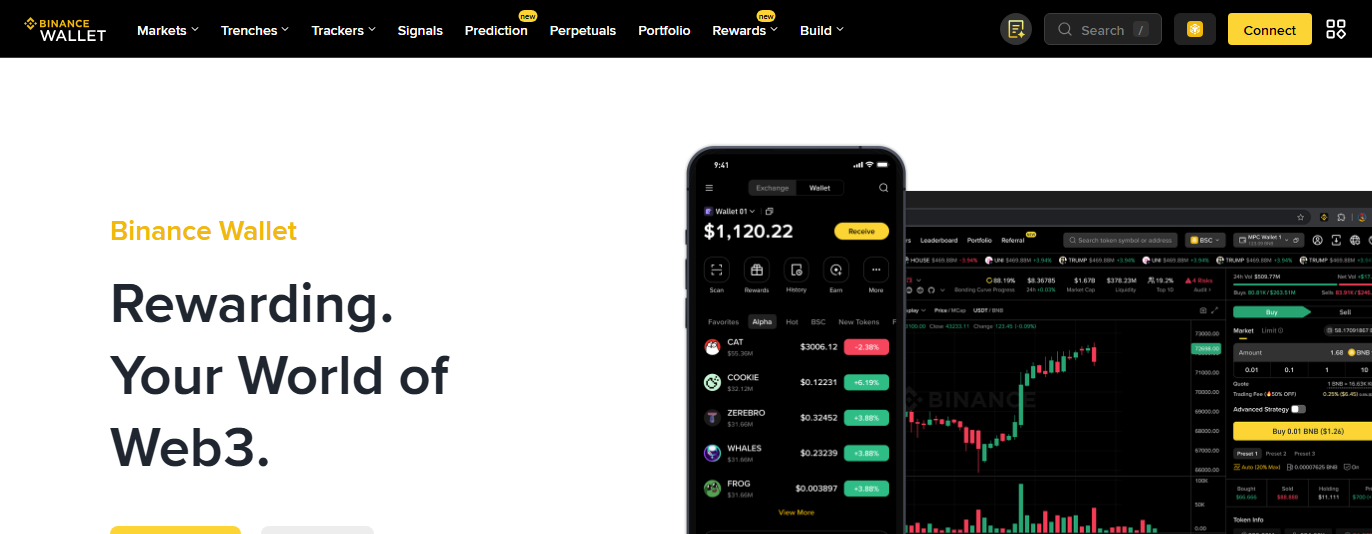
This site does not rank wallet products, and the steps below apply to any of them. What matters more than the brand is the recovery model: a wallet that makes you write down a phrase and warns that losing it is final is self-custody; one where a phone number or email can restore access has split that ability with someone else. Read the product's own documentation on recovery before you decide how much to keep in it. Binance publishes an overview of its wallet on its public product page, and other vendors document theirs similarly.
Do not start setup yet. Open the app and see whether it asks for a seed phrase before you have created anything. A brand new wallet has no reason to ask for a seed phrase when you have not made one. If it does, uninstall it.
03Setup: what each screen is asking
Interfaces vary, but the flow is nearly always these four: choose "create new wallet" rather than "import", set a local password, generate and back up the seed phrase, then confirm it back.
Screen one: create, or import
"Create new wallet" generates a fresh seed phrase. "Import" or "recover" restores an existing wallet from a phrase you already have. First time, you obviously want create. Getting this wrong costs no money but wastes a lot of confusion, because the import screen will sit there waiting for twelve words you do not have.
Screen two: local password
This password applies to this device only and unlocks local encrypted storage. It is not the same thing as the seed phrase — section 05 covers that.
Screen three: the seed phrase
Twelve words appear on screen (sometimes twenty-four), numbered in order. This screen is the whole thing, and the next section is about nothing else.
Screen four: confirm it back
The wallet picks a few positions at random and asks you to select or type the matching words. The point is to confirm you actually wrote them down instead of tapping "I have backed this up" and moving on. Take it seriously — it is the only time the system checks your backup for you.
04Writing down and verifying the seed phrase
The seed phrase is equivalent to everything in this wallet. Whoever obtains it needs no password, no device of yours and no verification code to move the assets from anywhere. So the standard for writing it down is not "I have noted it," it is "I can still get to it in the worst case."
What those twelve words actually are
They are not a password and not an account name. They are a random number encoded into human-readable words; the wallet derives a private key from them by fixed rules, and an address from that. The encoding is a public standard, which is why moving to different wallet software does not lose your coins — any wallet following the same standard reconstructs the same addresses. The rules themselves are published as BIP-39.
Because the rules are public, possession is ownership. There is no additional identity binding, and no server anywhere recording that this phrase belongs to you.
How to write it down so it counts
- By hand, on paper. Not a photo, not a screenshot, not copy-pasted into notes. Handwriting looks primitive and that is the point: it severs every networked path at once.
- Include the numbers. Order matters — wrong order, wrong wallet. A numbered column beats a running sentence.
- Read it back against the screen. The two classic handwriting failures are confusing similar-looking words and skipping one entirely. Checking word by word costs a minute.
- Make at least two copies, in two different physical places. One at home, one somewhere else you control long term. A single copy quietly folds "house fire" into your list of asset risks.
- Label it enough for you, not for a stranger. Do not write "wallet seed, holds X" on the paper.
- Photograph it. Camera rolls sync to the cloud by default, which hands your phrase to an account protected by a password.
- Screenshot it. Same problem, and screenshots get filed into an album that apps with photo permissions can read.
- Put it in cloud notes, saved chat messages, or an email draft. Those accounts are far easier to breach than a seed phrase warrants.
- Type it with a third-party keyboard. Many sync typing history or learned vocabulary to a server.
- Send it to yourself. Whether that is your own inbox or a self-chat, you have placed it inside a networked account.
That optional extra passphrase
Some wallets offer an optional extra string during backup, sometimes called a passphrase or "the 13th word". It works like this: your twelve words plus that string together derive the wallet. Anyone holding only the twelve cannot open it.
That sounds strictly better. It is not — it moves the risk rather than removing it:
- There is no recovery for it either. Forget the passphrase and the twelve words are useless, exactly as if you had lost them.
- It must be stored separately from the phrase, or it adds nothing — two notes in the same drawer travel together.
- It is easy to mistype or misremember. Capitalisation, spaces, one extra character: each variant derives a completely different wallet, and the software will not warn you. It will simply show an empty account and let you believe your coins are gone.
Our recommendation is to skip it on a first wallet. Come back to it once you are comfortable managing the phrase itself and actually hold something worth an extra step. An additional layer only helps if you can manage that layer reliably.
On metal backup plates
Products exist that let you stamp the words into metal, for fire and water resistance. If you intend to store something substantial for years, that is a reasonable purchase. For a small amount used for on-chain activity, paper in a moisture-proof bag is usually enough. Do not buy equipment for the ritual of it; the questions that matter remain "is there a second copy" and "apart from the wallet app itself, has any other networked device or account ever touched this."
Do not rush the confirmation screen
If the confirmation reveals you wrote something down wrong, the good news is that it is still fixable: most wallets let you go back and view the phrase again, or simply delete and create a new wallet. Right now that costs nothing. Later it costs everything.
After you pass it, do the step that is easy to skip: uninstall the wallet and restore it from the paper you just wrote. It is the most direct way to prove the backup works. (This applies to seed-phrase wallets; if your wallet uses a different backup method, follow its own recovery instructions, and make sure nothing has been deposited yet before you uninstall.) It sounds excessive and takes two minutes, and it catches the worst category of error — a backup that is wrong without you knowing.
For exposure routes and who tends to ask for phrases, read seed phrases and private keys; for what a real loss looks like, what happens when a seed phrase is lost. To audit your storage item by item, use the seed backup self-check.
05The password: what it protects and what it does not
A wallet password protects local storage on that device, so that someone who picks up your phone cannot simply open the app and send. It does not protect your assets from anyone holding the seed phrase, and it cannot substitute for the phrase if you lose it.
Holding that boundary in mind avoids two common misreadings:
- "My password is very strong, so I am safe." Strength stops someone with your device. If the seed phrase leaks, the attacker never touches your device at all.
- "If I forget the password the money is gone." No. Reinstall and restore from the phrase, then set a new password. What cannot be undone is losing the phrase — or, if you added one, the extra passphrase from section 04.
As for the password itself: do not reuse the one from your exchange account, and do not use anything derivable from a birthday or phone number. Most wallets support biometric unlock, which is more pleasant day to day, but make sure you can still recall the password itself — many wallets fall back to it when biometrics fail and ask for it before sensitive actions such as revealing the phrase. On a new device you restore from the phrase and set a fresh password there.
06Five places on the main screen you will use daily
Layouts differ, functions do not: the account address, the network switcher, the balance list, receive, and send. Find those five and the rest can wait.
| Where | What it does | What beginners get wrong |
|---|---|---|
| Account address | Usually at the top; a string beginning 0x or another format, tap to copy | Assuming each chain needs a different address — one seed gives the same address across EVM chains |
| Network switcher | Decides which chain's balances you are currently looking at | Sitting on chain A while checking for coins sent on chain B, and concluding they never arrived |
| Balance list | Tokens the wallet recognises on the current network | Treating an unlisted token as lost, when it just needs adding by contract address |
| Receive | Shows your address and a QR code for incoming transfers | Sharing the QR without saying which chain it is for |
| Send | Starts an on-chain transfer, which costs a network fee | Holding no native token for gas, so nothing can leave |
That last row is an easy place for beginners to stall. The reason is in gas fees: who gets paid and why the price moves.
07Adding networks: why your coins seem to vanish
Wallets show only a handful of chains by default. If assets arrive on a chain the wallet has not enabled, the screen shows nothing — the assets are not missing, the interface is simply not looking there.
Two cases:
- The chain is not enabled: find it in the network list and turn it on. Most wallets ship the major networks ready to select.
- The token is not listed: right chain, but the token needs adding manually by its contract address. Take that address from the project's own site or a block explorer — never from a group chat.
Some guides tell you to paste in an RPC endpoint to "speed things up". A node service can see which addresses you query, and a malicious one can return fabricated balances. Unless you know who operates that endpoint, stay on the wallet's built-in defaults.
How to work out which chain an asset should be on, and what happens if you get it wrong: what a chain is, and what happens when you pick the wrong one.
08Receiving a small test amount
The first money into a new wallet should be small enough that losing it would not bother you. The purpose is not to move funds, it is to prove the whole path works: right address, right chain, arrival visible, and — crucially — you can send it back out.
A complete test looks like this:
- Copy your receiving address from the wallet, checking which network is selected.
- Send a very small amount from an exchange or another wallet, on that same chain.
- Wait for it to arrive and confirm the balance appears. Timing depends on the chain's block cadence and the platform's processing.
- Then send part of it back out, to the exchange or to another address of your own.
Step four is the one guides omit, and it is the one that matters: being able to receive does not mean you can send. Sending needs native tokens for the network fee, and needs your password or biometrics to actually unlock a signature. Once that works, the wallet is genuinely usable.
The full withdrawal process, including where fees are listed and how confirmations work, is in moving coins from an exchange into your wallet.
09The closing checklist
Nine statements. If all nine are true, the wallet is set up. Anything you cannot answer sends you back to the matching section.
- The seed phrase is handwritten on paper, not photographed or screenshotted.
- There are two copies, in two different physical locations.
- I checked it word by word and wrote the numbers down too.
- I have actually restored from it once and confirmed it works.
- Apart from the wallet app's own setup and restore screens, the phrase has never been typed, photographed or stored anywhere: no notes app, cloud drive, chat app or inbox.
- I understand the wallet password and the seed phrase are different things.
- I have received a small amount and also sent one out.
- I know which chain I am on and how to switch.
- I intend to keep the site-connecting wallet separate from where the bulk sits.
Do not go connecting to things yet. Spend ten minutes on signatures and approvals and learn the difference between the two kinds of prompt. A wallet can be emptied without the key ever leaking — all it takes is tapping confirm on the wrong screen.
10If your screen does not match this
Wallet apps redesign constantly, and buttons move. What you judge by is not whether it looks like the guide, but what that screen is asking for and what it is showing you.
General mappings:
- It shows you a set of words and asks you to write them down — this is the backup step, section 04, regardless of how it has been restyled.
- It asks you to type a set of words in — this is recovery. If you are creating a new wallet and see this, you took the wrong branch.
- It asks you to set a password — local unlock, section 05.
- A dialog pops up asking you to confirm something you do not recognise — that is a signature request. Stop and read the piece on approvals.
One more case: you follow the official documentation and the interface still does not match. Go to that wallet's own help centre rather than searching for third-party guides — impostors target search terms like "wallet not working" specifically to route people to fake support. The shapes are in how wallets actually get drained.