01Wallet restored with zero balance: why the address is the first suspect
Coins live at an address on the chain, never inside an app. When a correct phrase imports cleanly but shows 0, the likeliest explanation is that the new wallet derived — or is currently displaying — a different address from the one holding your funds. Get the wallet onto the right address and the balance appears.
One seed phrase can produce thousands of addresses. Which one you see depends on the rules the wallet follows to derive them, how far down the list it goes, and whether an extra passphrase sits on top. Two wallets that differ on any of those points will show you a fresh, empty address while the old one sits untouched.
Every check below serves the same goal: find the old address, then get the new wallet to display that exact address.
02Step one: dig up the address you used before
An address is public. You can look it up without the seed phrase. Pull it from an exchange withdrawal record, an old payment, or the receive screen of the old device, then paste it into a block explorer for that chain to see whether the balance is still there.
Places worth searching:
- Your exchange's withdrawal history. The withdrawal that sent coins to this wallet lists the destination address and a transaction hash.
- Messages where you shared your address. Whatever string you sent someone so they could pay you was your receiving address at the time.
- The old phone or browser profile. If the old wallet still opens, its receive screen shows the address directly.
Search that address on an explorer for the right network — Etherscan or the equivalent for an EVM chain, a Bitcoin explorer for Bitcoin. If the balance shows there, you have confirmed the problem is a mismatch in the new wallet, and the rest of this page applies. If the explorer shows the funds already moved out, you are dealing with something else; start with how wallets actually get drained.
Some websites offer to "scan every derivation path" or "find the balance for your seed" if you paste the phrase in. Whatever they claim about running locally, don't. A web page that receives your seed phrase has received your coins. The same goes for anyone who messages you offering to "recover your assets"; what happens when a seed phrase is lost covers how those recovery offers work.
03MetaMask only restored the first account
Some wallets only list the first few accounts after an import. If your coins were in account 2 or 3, add accounts manually in the new wallet, one at a time and in order, until an address matches.
MetaMask is a clear example. Its help article on restoring from a Secret Recovery Phrase explains that it checks your previous accounts in ascending order and adds each one holding a non-zero ETH balance on Ethereum mainnet. The first account with 0 ETH ends the search, and nothing after it gets added automatically.
That rule misses more setups than you might expect. Say account 1 was always empty and everything sat in account 2. Or account 2 only ever held USDT and never any ETH. Either way the restore stops early and account 2 stays hidden.
The fix takes a minute. Open the account list, choose the option to add or create an account (the wording varies between wallets), and compare the first and last few characters of each new address with the one you found in step one. Stop when they match. Account number N under the same phrase and the same rules is the same address in any wallet, so adding accounts in sequence is safe; you are never generating somebody else's address.
Bitcoin wallets add one more wrinkle. BIP-44 sets a "gap limit": a wallet stops scanning once it hits 20 unused addresses in a row. If you once generated a long run of receive addresses without using them, the later ones may never be found. Look in the wallet's settings for an option to scan further, or ask that wallet's official support what range it checks.
04Same words, different derivation path
A derivation path is the route a wallet takes from your seed phrase down to a specific address. Different path, different address. The fix is to use the same path the old wallet used — if the new wallet lets you choose one.
A path looks like m/44'/60'/0'/0/0. Under BIP-44, the fields from left to right are: purpose (44), coin type (60 for Ethereum), account, external or change, and address index. Change any field and you land on a different address.
MetaMask uses exactly that route and nothing else. Its page on importing a phrase from other wallet software says that for a Secret Recovery Phrase import it only supports the default BIP-44 path, m/44'/60'/0'/0. The Ledger options — Legacy (MEW/MyCrypto), Ledger Live and BIP44 — only appear when you connect a Ledger device. So if your old address came from another path, importing the phrase into MetaMask will never show it. Use a wallet that lets you pick the path, or go back to the original app.
To find out which path the old wallet used:
- Search its help center for "derivation path". Established wallets usually document their default.
- If the old app still opens, look in account details or advanced settings; some display the path.
- Ask that wallet's official support which path it uses on import. Never include the phrase in the question.
One trade-off is worth spelling out. If the old wallet is still downloadable and maintained, the shortest and safest route is often to restore into it, confirm the address and balance, and then send the funds to an address in the wallet you actually want to use. That beats trying path after path in an unfamiliar app, and it means typing your phrase into one less piece of software.
05Bitcoin: the first characters tell you the address type
Bitcoin has four common address types, starting with 1, 3, bc1q and bc1p, each tied to its own derivation path. If the new wallet defaults to a different type from the one you used, the balance shows 0 until you switch to the matching type.
imToken's help article "BTC balance is zero after importing other wallets' mnemonic into imToken" is a good illustration: its default on import is Taproot, path m/86'/0'/0', and if the address changes and the balance reads zero it tells you to pick the matching address type under "Advanced" for the Bitcoin network. Other wallets choose other defaults, so always work from the first characters of your old address:
| Old address starts with | Type, as wallets usually label it | Typical path prefix | Defined in |
|---|---|---|---|
| 1 | Legacy | m/44'/0'/… | BIP-44 |
| 3 | Nested SegWit (P2SH-SegWit) | m/49'/0'/… | BIP-49 |
| bc1q | Native SegWit | m/84'/0'/… | BIP-84 |
| bc1p | Taproot | m/86'/0'/… | BIP-86 |
Only the prefix is listed. Account and address index can still differ after you switch, so compare the full address, start and end, before you relax.
The four types can send to one another. Once the old address shows up in the new wallet, moving coins to the wallet's default type is just an ordinary transfer.
06That account never came from this seed phrase
If the old account was imported with a private key, or created under a different phrase, no amount of adding accounts or switching paths will produce it from these words. You need that key, or that other phrase.
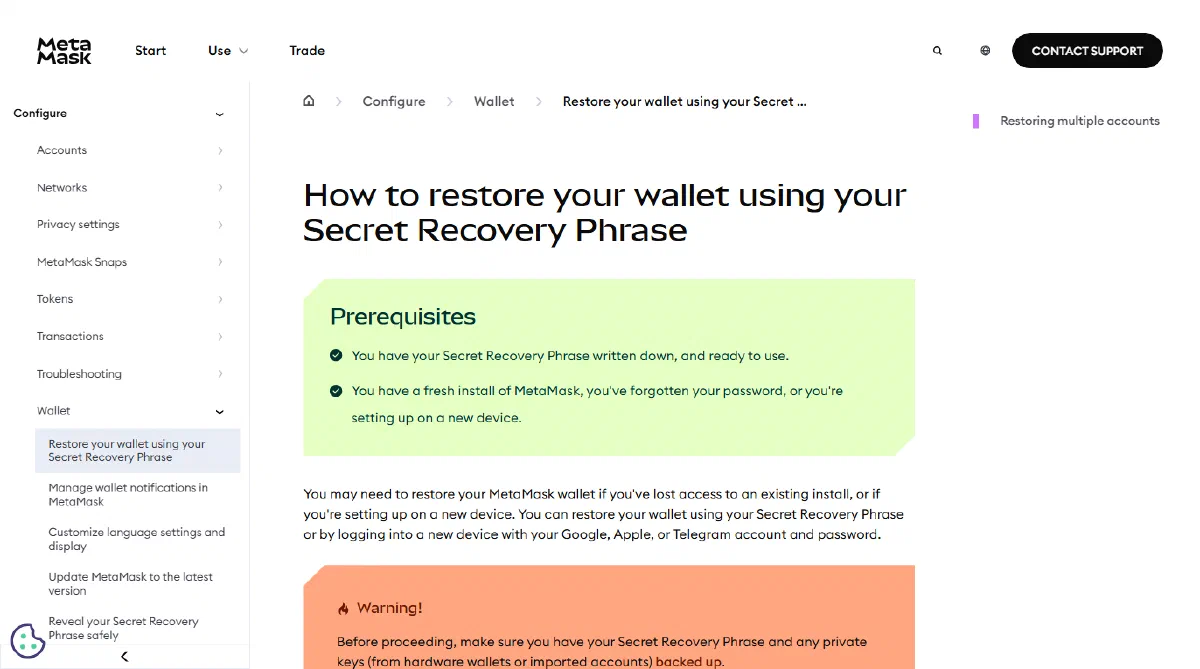
MetaMask's restore article makes the same distinction: accounts brought in with a private key or from another phrase have to be added again by hand. In the account list, created and imported accounts sit side by side, yet only the created ones come back from the phrase.
The other version of this: you actually own two phrases. Suppose you set up one wallet years ago and another later, and both are written in the same notebook. You restore with phrase B while the coins sit under phrase A. Every word is spelled right and the balance is still 0. Importing each phrase and comparing addresses settles it faster than rechecking spelling.
If this is the only phrase you have, and the account in question came from a private key that was never backed up separately, the funds are most likely out of reach. Seed phrases and private keys explains why nobody, anywhere, can restore them for you.
07You set a passphrase and left it out this time
Some wallets let you add a passphrase on top of the seed words, often nicknamed the "25th word". A different passphrase opens a different wallet entirely, and leaving it blank opens a clean, empty one.
This comes straight from BIP-39: with no passphrase set, the empty string is used, and every possible passphrase yields a valid wallet. Only the original one leads back to your coins. A wrong passphrase therefore produces no error message. You simply see a wallet with nothing in it.
The option usually lives in advanced settings on hardware wallets and some software wallets. Think back to setup: was there a step like that? If so, treat the passphrase exactly like the words — one wrong character, a capital letter, or a trailing space gives you a different wallet.
08The address matches, and the wallet still shows 0
Same address, funds visible on the explorer, zero in the app: the gap is in what the wallet displays. Either you are on the wrong network, or the token needs adding.
- Network. An EVM address is the same on every EVM chain. If the coins are on BNB Chain and the wallet is looking at Ethereum mainnet, you see 0. Switch to the chain that holds them; what a chain is, and what happens when you pick the wrong one covers why one address appears on several chains.
- Token list. MetaMask's restore article notes that after restoring you may need to add your networks and tokens again. Some tokens never appear on their own and need adding by contract address. Take that address from the project's official site or a block explorer, not from a chat group.
This layer is almost the same checklist as "the withdrawal succeeded but my wallet shows nothing", covered at the end of moving coins from an exchange into your wallet.
Run the checks in this order
- Find the old address and confirm on an explorer that the balance is there.
- Add accounts one by one in the new wallet, comparing start and end.
- EVM chains: make sure both wallets use the same derivation path; if they can't, go back to the old app or use one that supports that path.
- Bitcoin: switch address type to match the old address's prefix.
- Ask whether that account came from an imported key or a second phrase.
- Ask whether you ever set a passphrase.
- With the address matched, switch network and add tokens.
The order runs from least effort to most. The first two steps need no new app and no retyping of the phrase.